If you’ve watched a few passthrough scenes, you’ve probably noticed something:
Some look incredibly clean and realistic.
Others… look slightly off.
Not bad. Not broken. Just less convincing.
The difference usually comes down to one thing:
👉 how the background was removed.
Across AR porn and VR passthrough content, two main methods are used:
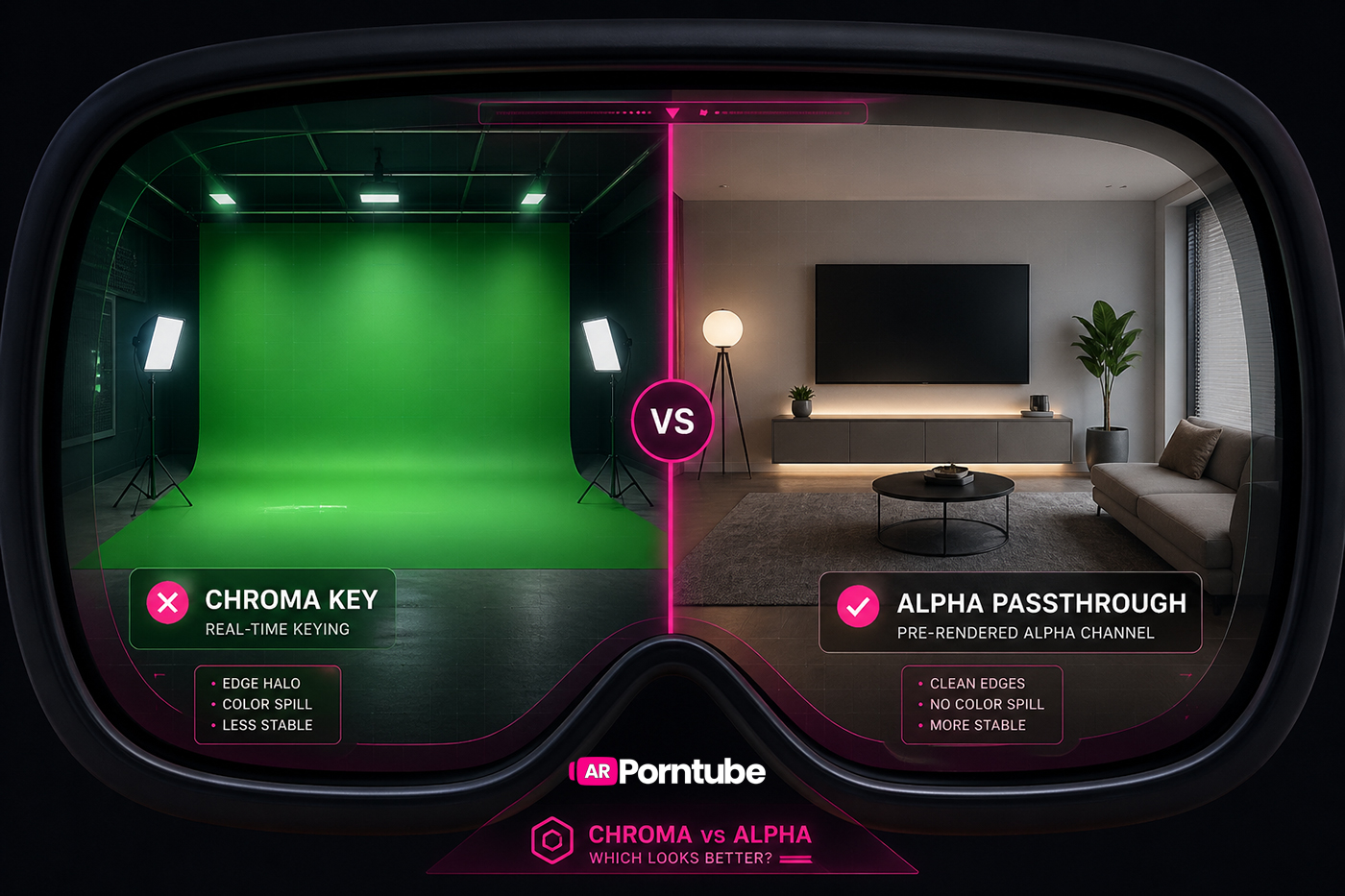
- chroma key (green screen)
- alpha channel passthrough
Both aim to place a performer into your real-world environment—but they do it in very different ways.
And those differences directly affect how real the experience feels.
To understand this more deeply, it helps to look at how this content is produced. We break that down fully in our guide to how passthrough AR porn is made.
🟢 What Is Chroma Key (Green Screen)?

Chroma key—more commonly known as green screen—is one of the most widely used techniques in passthrough video production.
Performers are filmed in front of a bright green background, which is then removed either during editing or in real time by the player.
Once the background is removed, only the performer remains, allowing them to appear within your environment.
This approach is used across both dedicated green screen productions and scenes adapted from traditional VR content. Studios such as CzechAR use this workflow as part of their pipeline.
🎥 Why it’s used
- works with existing VR camera setups
- lower production cost
- fast turnaround
- scales easily for large libraries
⚠️ Where it can struggle
Chroma key depends heavily on lighting and colour separation.
If the background isn’t perfectly lit—or if the subject is too close—issues can appear:
- colour spill around edges
- flickering during motion
- loss of fine detail
In AR passthrough environments, where content is placed directly into your room, these inconsistencies are much easier to notice.
🔵 What Is Alpha Passthrough?
Alpha passthrough takes a different approach.
Instead of removing the background during playback, transparency is created in post-production and embedded directly into the video.
This means the file contains both:
- the image (RGB)
- a transparency layer (alpha channel)
👉 No real-time keying required.
Studios such as SLR Originals and arporn.com use alpha workflows as a core part of their production.
You can explore more examples in our alpha passthrough category.
🎥 Why it’s used
- cleaner edges
- more stable compositing
- better detail preservation
- consistent playback
🎯 Where the Difference Really Shows
🧠 Edge Quality
One of the first things your brain notices is how clean the subject looks.
With chroma key:
- edges vary depending on lighting
- fine details like hair can be difficult to isolate
With alpha:
- edges are pre-refined
- detail is preserved more accurately
👉 Cleaner edges create stronger immersion
⚡ Stability During Movement
Motion is where passthrough content either holds up—or breaks.
With chroma:
- edges can flicker
- real-time processing introduces variation
With alpha:
- compositing is already complete
- movement appears stable
👉 Stability is often what allows the experience to “click”
🎯 Blending Into Your Environment
The goal isn’t just removing the background—it’s making the subject feel like part of your space.
Alpha workflows generally provide smoother blending with fewer artifacts.
Lighting also plays a key role. If the scene is brightly lit but your room is dim, the mismatch becomes obvious. Passthrough environments can appear grainier in low light, which makes well-lit scenes feel more convincing.
👉 Fewer inconsistencies = more believable results
⚙️ It’s Not Just Chroma vs Alpha
Compositing method is only one part of the equation.
Differences in quality also come from:
- bitrate and encoding
- camera quality
- lighting setup
- masking precision
- perspective and scaling
👉 Realism comes from how all of these elements work together.
🎯 Perspective & Scaling
Incorrect scale is one of the most common issues in passthrough VR content.
Even with clean compositing, scenes can feel off if:
- the subject appears too large or too small
- camera height doesn’t match eye level
- the filming perspective doesn’t align with your position
👉 Correct scaling is just as important as visual clarity
🎥 Camera Design Matters
Not all scenes are filmed in a way that translates well to passthrough viewing.
Scenes with camera movement or frequent angle changes can be harder to align in real space.
👉 Stable, head-level camera setups tend to produce the most convincing results
📦 Bitrate & Detail
Another major factor is bitrate.
Higher bitrate video preserves fine detail—especially around edges—while lower bitrate streams can appear soft or compressed.
👉 Detail directly affects how convincing the subject feels in your space
⚖️ Why Chroma Still Exists
Chroma key remains widely used because it offers speed, flexibility, and scalability.
👉 It’s not about being worse—it’s about enabling more content to be produced
🚀 Why Alpha Feels More Real
Alpha passthrough stands out because it removes inconsistency.
Edges remain stable, detail is preserved, and playback doesn’t rely on real-time processing.
👉 This consistency makes scenes feel more believable
For a deeper look at why this matters, see our guide on why passthrough AR porn feels so real.
📊 What Users Tend to Prefer
Alpha-based passthrough scenes tend to feel more consistent and require less adjustment—especially on modern headsets.
At the same time, preferences vary. Some users prioritise stability, while others focus more on detail or performance.
👉 Perceived realism depends on multiple factors
🧠 Final Thought
The difference between chroma and alpha isn’t just technical.
It’s perceptual.
👉 Chroma focuses on flexibility and scale
👉 Alpha focuses on stability and precision
And in passthrough environments, those differences directly impact how real a scene feels.
Because ultimately, the goal isn’t just to make something look good—
👉 it’s to make it feel like it’s actually there.